Delete Instagram account: Instagram has become one of the most popular social media platforms in recent years. However, for various reasons, you might find yourself wanting to take a break from or permanently delete your Instagram account. Whatever your reason may be, this article will guide you through the process of deleting your Instagram account in seven easy steps.
Step 1: Back Up Your Data
Before you decide to part ways with Instagram, it’s essential to back up your data. Instagram allows you to download all your photos, videos, and other content. To do this, follow these steps:
- Log in to your Instagram account.
- Go to your profile by tapping your profile picture in the bottom right.
- Click the three horizontal lines in the top-right corner to open the menu.
- Tap ‘Settings.’
- Scroll down and click ‘Security.’
- Under ‘Data and History,’ select ‘Download Data.’
- Follow the on-screen instructions to request a download of your data. Instagram will email you a link to download your data once it’s ready.
Step 2: Visit Instagram’s Delete Account Page
To initiate the process of permanently deleting your Instagram account, visit Instagram’s official account deletion page. You can access it directly by following this link: Instagram Account Deletion Page.


Step 3: Select a Reason for Leaving
Instagram will ask you to choose a reason for deleting your account from a drop-down menu. This step is essential for their policy-page-at-mpya-news/" title="Feedback">feedback process, but you can choose the option that best fits your situation or select “Something else” if none of the provided options apply.
Step 4: Re-enter Your Password: Delete instagram account
To confirm your identity, Instagram will prompt you to enter your password once more. This is to ensure that only the account owner can delete the account.

Step 5: Permanently Delete Your Account
After entering your password, you will be presented with the option to “Permanently delete my account.” Click on this option to proceed.
Step 6: Confirm Your Decision
Instagram will display a final confirmation message that outlines the consequences of deleting your account. Take a moment to read through this message, as it highlights the permanent nature of the deletion process. If you are sure you want to delete your account, click “OK.”

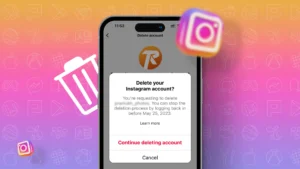
Step 7: Goodbye Instagram: Delete your Instagram account
Congratulations! You’ve successfully deleted your Instagram account! You will be logged out, and your profile will no longer be accessible to you or anyone else on Instagram. Remember that once you delete your account, there’s no way to recover it, so make sure you are certain about this decision.
Conclusion
Deleting your Instagram account might be a big step, but it’s a straightforward process that Instagram has made user-friendly. By following these seven easy steps, you can regain control of your online presence and focus on other aspects of your life without the distractions of social media. Remember to back up your data before deleting your account, as this ensures you don’t lose any valuable memories or content you might want to revisit in the future.
OTHER TRENDING ARTICLES OF THE DAY:

Back to Mpya News Home page: Education, Fashion, Law, business and sports
Last updated on: December 16, 2023
New information gained / new value takehome
- Step 1: Back Up Your Data Before you decide to part ways with Instagram, it’s essential to back up your data.
- This step is essential for their feedback process, but you can choose the option that best fits your situation or select “Something else” if none of the provided options apply.
- This is to ensure that only the account owner can delete the account.
- Remember to back up your data before deleting your account, as this ensures you don’t lose any valuable memories or content you might want to revisit in the future.
This content was developed using AI as part of our research process. To ensure absolute accuracy, all information has been rigorously fact-checked and validated by our human editor, Rodgers Mwenda.
External resource 1: BBC World News Coverage
External resource 2: Reuters Global Agency
Reference 1: The New York Times International
Reference 2: Al Jazeera News Updates
Reference 3: Associated Press Official
Photo credit: instagram.com