Download KMTC Enrollment Form for Kenyan Students-PDF
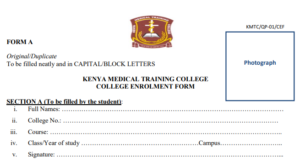
In 2026, the Kenya Medical Training College (KMTC) has streamlined its intake process. For Kenyan students, the “Enrollment Form” is no longer a document you fill out by hand and mail; it has been replaced by a Digital Enrollment Profile created through the KMTC Admissions Portal.
Below is the download button for KMTC Enrollment Form for Kenyan Students
Download KMTC Enrollment Form for Kenyan Students
Above is the download button for KMTC Enrollment Form for Kenyan Students
Whether you are applying for the March Intake or the September Intake, you must complete the online enrollment process to be considered for any of the 98 campuses nationwide.
FAQ: The 2026 Digital Enrollment Process
Q: Where can I download the blank enrollment PDF?
A: KMTC has phased out manual PDF applications for Kenyan students to reduce errors and speed up processing. You must “enroll” by creating an account at admissions.kmtc.ac.ke. Once you fill in your details, the system generates a Student Application Summary PDF which acts as your official enrollment record.
Q: What information is required for enrollment?

A: You will need the following details ready:
-
KCSE Index Number and Year: (The system fetches your results directly from KNEC).
-
National ID Number: (Or Birth Certificate number if under 18).
-
Valid Email Address and Phone Number: (For receiving your admission letter).
-
Next of Kin Details: Emergency contact information.
Q: Is there an enrollment fee?
A: Yes. To activate your enrollment profile and apply for courses, you must pay a non-refundable fee of Ksh 2,022.
-
Payment Method: Payments are made via e-Citizen using the M-Pesa Paybill provided on the portal during the application steps.
Q: How do I select my preferred campus?
A: During the enrollment process, the portal allows you to choose your top three course preferences. While you can suggest a preferred campus, KMTC reserves the right to “distribute” students based on available capacity and regional balance.
Q: What happens after I submit my enrollment online?
A: 1. Verification: KMTC verifies your grades and ID details.
2. Selection: The Academic Board sits to place students based on merit.
3. Admission Letter: If successful, your Admission Letter and Reporting Instructions will be uploaded to your portal for download.
Required Documents for Upload (Digital Enrollment)
Even though the process is online, you must upload clear scans of the following:
| Document | Format | Max Size |
| KCSE Result Slip/Certificate | PDF/JPEG | 500KB |
| National ID (Front & Back) | JPEG | 300KB |
| Passport Photo (White Background) | JPEG | 200KB |
| Primary School Leaving Certificate | PDF/JPEG | 500KB |
Pro-Tips for a Successful Enrollment
-
The “C” Requirement: Most Diploma courses (Nursing, Clinical Medicine) strictly require a C (Plain) in Biology and English/Kiswahili. If your grades are lower, the portal will automatically grey out these options.
-
Double-Check Index Numbers: A single wrong digit in your KCSE Index Number will result in “Results Not Found.”
-
e-Citizen Sync: Ensure your M-Pesa name matches the name on your ID to avoid delays in payment reconciliation on the e-Citizen platform.
Back to Mpya News Home page: Education, Fashion, Law, business and sports

Last updated on: March 26, 2026
New information gained / new value takehome
- A: You will need the following details ready: KCSE Index Number and Year: (The system fetches your results directly from KNEC).
- Double-Check Index Numbers: A single wrong digit in your KCSE Index Number will result in “Results Not Found.
- ” e-Citizen Sync: Ensure your M-Pesa name matches the name on your ID to avoid delays in payment reconciliation on the e-Citizen platform.
- Back to Mpya News Home page: Education, Fashion, Law, business and sports Last updated on: March 26, 2026Mpya News Sitemap .
This content was developed using AI as part of our research process. To ensure absolute accuracy, all information has been rigorously fact-checked and validated by our human editor, Alex Munene.